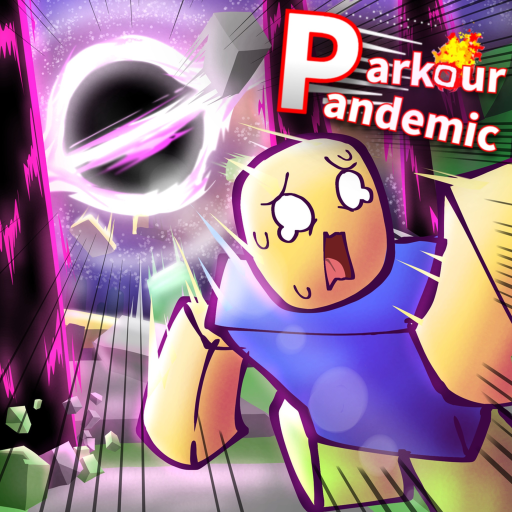
Welcome to Parkour Pandemic beta
Parkour Pandemic is a Roblox experience published by Rxinen Projects that combines disaster survival with fast parkour movement. The game is in active beta, so expect balance tweaks, new disasters, and map updates — Update 1 already added the Void disaster, a new map, and Fusion Gear.
Each match is built around roughly two-minute rounds. A disaster rotates in, the map becomes lethal in stages, and your job is to stay alive while earning Volts — the currency used to buy Gear that expands your movement toolkit. You can play now at the official Roblox page: Parkour Pandemic [UPDATE 1].
Your first five minutes in a round
When a round starts, do not sprint blindly. Take two seconds to identify where you spawned relative to vertical routes — ladders, ledges, and wall-run lines matter more here than in flat obstacle games. Parkour Pandemic rewards players who know where high ground is before the disaster telegraph appears.
Move with purpose toward Volts pickups and safe climb paths. In beta, Volts are the bridge between being a default runner and someone who can Wall Boost, Air Blast, or Power Dash out of bad spawns. Even if you die early your first few tries, you are still learning which parts of the map collapse first under each disaster type.
Core controls every beginner must learn
On PC, bind these to muscle memory before you worry about advanced Gear: B opens emotes (useful in lobby, not during escapes), Q is Dash, C is Slide, and Double Jump is triggered by pressing Space twice. These four actions define baseline mobility.
Gear adds more inputs later. Speed Gear lets you press Space near a wall for Wall Boost. Power Gear adds R for Air Blast and Hold Q for Power Dash — a longer, stronger burst than the default Dash. Read the full PC Controls or Mobile Controls page for your device.
- B — Emote
- Q — Dash
- C — Slide
- Double Space — Double Jump
- Space near wall — Wall Boost (requires Speed Gear)
- R — Air Blast (requires Power Gear)
- Hold Q — Power Dash (requires Power Gear)
Understanding disasters in beta
Disasters are the rotating hazards that define each round. They are not decorative — they rewrite which routes are legal mid-match. Update 1 introduced the Void disaster, which deletes floor space and forces vertical escapes. Older beta disasters still appear in rotation depending on the current build.
When you hear or see a disaster warning, stop farming edge loot and commit to a route. Two minutes is short; hesitation kills more beginners than missing a single jump. The All Disasters page lists known hazards, and the Void Disaster Guide covers the newest threat in detail.
Volts and your first Gear purchase
Volts drop during rounds as you survive, move, and complete in-game objectives tied to the beta build. You spend Volts on Gear tiers — Speed Gear for route speed, Power Gear for emergency recovery, and Fusion Gear after Update 1 for hybrid playstyles.
Beginners should not hoard Volts forever. A early Speed Gear unlock pays for itself by making wall lines accessible, which increases survival time and indirectly earns more Volts. Follow the Gear Tier List if you want a community-tested purchase order while the economy is still settling.
Common beginner mistakes
Chasing Volts on the ground floor when the disaster already started — high routes often remain safe longer. Spamming Dash without planning landing spots — you will clip corners and lose momentum. Ignoring Slide on narrow ledges — C lowers your hitbox and stabilizes many jumps.
Finally, do not trust random "codes" or scripts posted in social comments. This wiki tracks only verified codes, and none are confirmed active yet. Legitimate progress comes from learning map geometry and Gear timing, not third-party executors that risk your Roblox account.
Where to go after your first session
Once you finish five to ten rounds, read How to Survive Rounds for macro strategy and How to Earn Volts for efficient farming. If you play on phone or tablet, the Mobile Survival Guide is essential because touch Dash and Slide timing differ from keyboard play.
Parkour Pandemic is deep for a beta title because movement tech stacks with Gear. Treat every death as route data — note where the disaster caught you, then adjust your opener on the next spawn.